
NINA WATCH FOR MAC · PLAN & MONITOR
Plan the night.
Follow every step.
NINA Watch brings your imaging session into one clear view on your Mac. Follow NINA, guiding and equipment status, explore your sequence timeline and find targets that fit your telescope and camera.
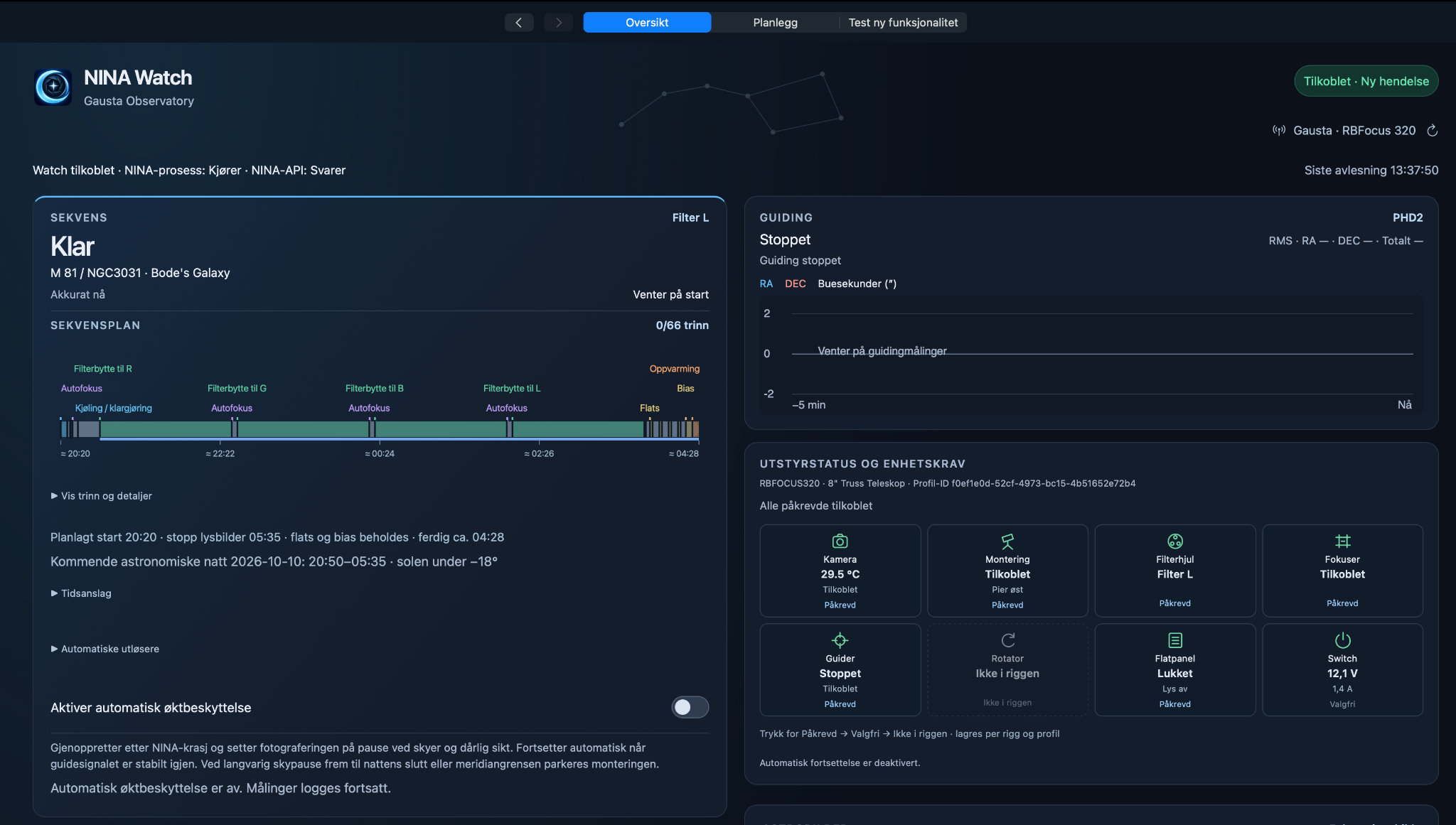
Your imaging session, at a glance.
Follow the sequence
See the current target, filter and sequence progress. A visual timeline brings together exposures, autofocus, filter changes and calibration frames, with estimated start and finish times.
Watch guiding & equipment
View PHD2 guiding status and the RA/DEC graph alongside camera temperature, mount, filter wheel, focuser and other devices. Mark equipment as required, optional or not part of the rig.
Optional session protection
The app includes an optional session-protection setting described as recovering after a NINA crash, pausing during poor guiding conditions and resuming when the guide signal is stable. This setting is switched off in the screenshot.
Find your next target.
Plan around your night, telescope and camera. Browse suggested objects with altitude, time above the selected minimum altitude and an estimate of how well each target fits your field of view.
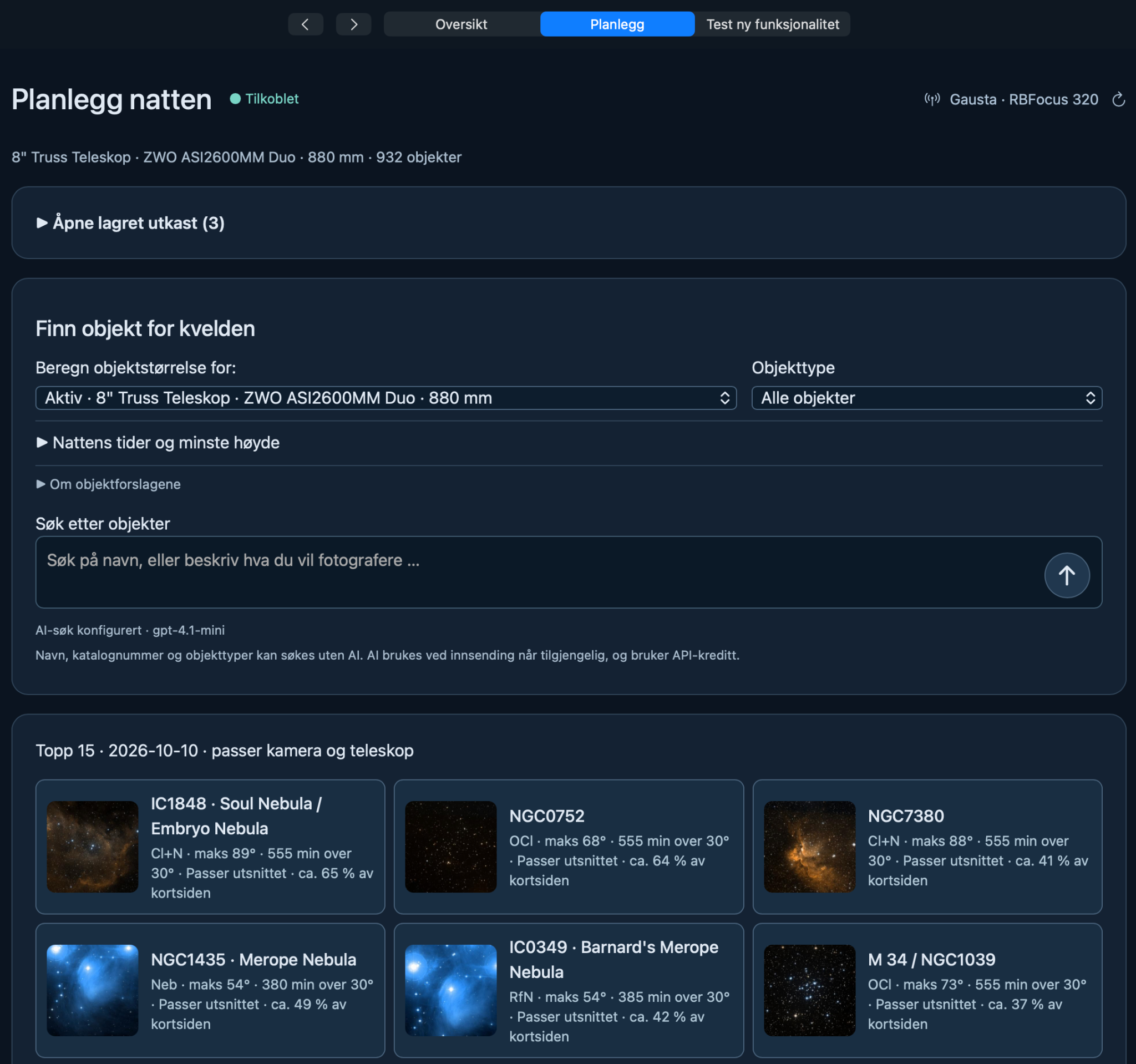
Search your way
Search by object name, catalogue number or object type. Optional AI-assisted search lets you describe what you want to photograph; it requires configuration and uses API credit.
Match your setup
Choose the telescope and camera combination used to estimate object size in the frame, and filter the suggestions by object type.
Prepare the night
Review night timings and minimum altitude, explore suggested targets and return to saved planning drafts.
01 / THE APP
NINAwatch downloads
A dedicated home for the NINAwatch app, release notes and installation guidance.
Downloads are coming soon. The installer and version details will appear here when the release is ready.
02 / UNDER THE STARS
From clear nights
to lasting images.
An astrophotography gallery with the story behind each image: the target, equipment and exposure details.
The first image collection is coming soon.
03 / LEARN & EXPLORE
Get to know NINAwatch.
Step-by-step video guides, from installation to finding your way around the app.
01 — Getting started
Installation and first launch.
Video coming soon.
02 — The dashboard
Finding your way around NINAwatch.
Video coming soon.
NINAwatch Astro · Software, astrophotography & tutorials

